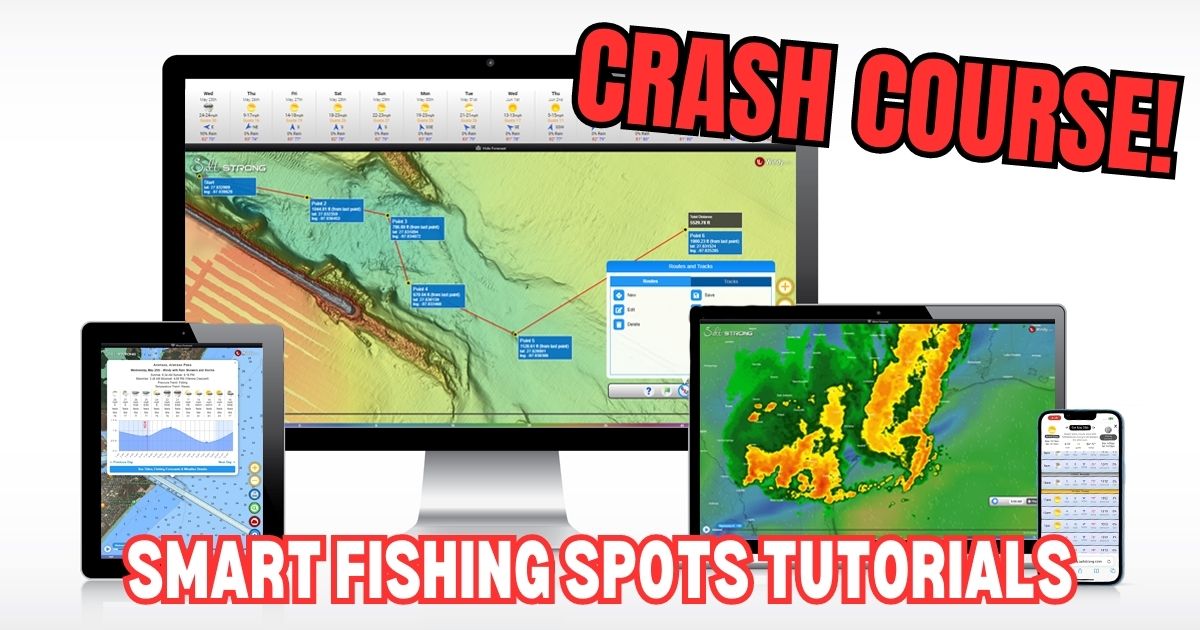
Welcome to Smart Fishing Spots!
The following videos will help guide you through how to effectively use the Smart Fishing Spots software.
Here are the topics that will be covered (you can click on a specific topic below to go straight to the video):
Introduction:
(Click On Any Of the Links Below to JUMP to the video)
Map Layers:
- Smart Spots Layer
- Ocean Current Layer
- Public Lands Layer
- Private Land Layer
- 1 Foot Contours Layer
- Oysters Layer
- Seagrass Layer
- Artificial Reef Layer
- Boat Ramp Layer
- Kayak Launch Layer
- Shaded Relief Layer
- Marine Chart Layer
- Sea Surface Temperature Layer
- Water Temperature Layer
- Satellite Imagery Layer
Tides & Weather:
Tools:
- My Spots
- Waypoints
- Finding Current Location
- Distance Measurement
- Compass
- Creating Tracks
- GPS Settings (Degrees & Decimal)
- Insider Reports & Spot Dissections
Misc:
Smart Fishing Spots Overview

 Back To Top Of Page
How To Search For A Location
How To Check The Weather
Tide Stations & Strike Score
Smart Spots Layer
Ocean Currents Layer
1 Foot Contours Layer
Public Lands Layer
Private Lands Layer
Oysters Layer
Seagrass Layer
Artificial Reef Layer
Boat Ramp Layer
Kayak Launch Spots Layer
Shaded Relief Layer
Marine Chart Layer
Note: Here’s a Marine Chart PDF that includes descriptions for the various icons in the Marine Chart layer in case needed.


Hey guys — quick question on Smart Spots.
I’ve noticed that a lot of the areas I normally fish aren’t highlighted, but spots I’ve never fished are showing up as “hot” (red with numbers).
Can someone explain how the Smart Spots are generated?
Is it based more on trends, reports, or conditions rather than personal history?
Just trying to understand how much weight I should give those highlighted areas vs. spots I already know produce fish.
The Smart Spots are hand-picked by professional fishermen we hired to highlight good spots. They list the seasons and conditions when each spot is best, and the system uses that along with the actual tide/weather forecasts for each hour to assess how good it should be at any given time.
As for how much weight you should give to the Smart Spots, that typically depends on skill level. Our goal for each member is to show them how to find the best spots based on conditions using the more advanced layers like oysters, 1-ft contour, high-res satellite, etc. because a skilled angler can do better than a computer for picking spots the align with their personal fishing preferences.
The Smart Spots can be used as some extra support for any member who is having trouble picking their own spots that are holding fish.
What happened to Private land?
Hey James! When you use the public land layer you can click or tap on the shaded area and it will give you info on whether the area is open to the public or restricted. So it’s kind of combined within the public land layer. Just have to click the area and see if it’s private or public. The color of the shading also can give you an idea. Red or orange is private/restricted or closed. Green and yellow are open access
Can I change the pressure to mercury inches?
How do you find the current fishing conditions for a waypoint?
In the tide tool – what are the numbers shown below the wind direction – on my screen the numbers range from 1020 to 1025 on average
That shows the barometric pressure for each hour… falling is best, and rising is next best.
Asking again how often does the water temp update. In the app? I ask this before but never got an answer. It shows 60 right now there’s no way it is that warm.
Hello Terry, the temps update once a day. What area were you looking at?
I am interested in the middle Texas coast. The San Antonio Bay Area
I just checked and it did go down from yesterday
Just wondering if there is a wind layer like in the original app? Can’t seem to find it on this version. Was the main feature I used.
How often does the water temp update on the smart app
Is there a conversion chart from my longitude and latitude on my lowrance to yours for saltstrong (They are diffferent)
You can change the format of coordinates on smart fishing spots by going to the tools menu > settings > coordinate format. Just have to know what format your lowrance is in and match the app to it.
I have noticed that on the AI game plan generator it talks about catching snook in the San Antonio Bay Area. I have been fishing here for 50+ years and never caught a snook. And I don’t know of anyone who has. This might be something that you would want to look into.